 Winter Sale | 17% OFF $19.95+ (Code: YBWS17) • 22% OFF $69.95+ (Code: YBWS22)
Best Epson EcoTank Printer for Sublimation in 2025
If you’re stepping into the vibrant world of sublimation printing, choosing the right printer is your first—and most important—decision. For crafters, small business owners, and DIY enthusiasts, Epson’s EcoTank series has become a go-to choice, thanks to its remarkable ink efficiency and print quality. However, not all EcoTank models are created equal when it comes to sublimation.
This guide will walk you through the best Epson EcoTank printer for sublimation in 2025, comparing popular models, explaining key technical differences, and helping you pick the perfect machine whether you’re printing t-shirts, mugs, or large-format posters.
Why Choose an Epson EcoTank for Sublimation?
Before diving into specific models, let’s understand why the EcoTank series stands out for sublimation printing. The core advantage lies in its innovative tank system, which eliminates the high recurring cost of ink cartridges. For sublimation, where you may go through ink quickly while testing designs and running production, this represents significant long-term savings. Beyond economics, most EcoTank printers utilize Epson’s PrecisionCore printhead technology, which consistently delivers the sharp details and vibrant color saturation that sublimation projects demand. Furthermore, their robust construction and widespread user base mean a wealth of online support and proven conversion guides exist, making them a reliable and accessible choice for newcomers and seasoned users alike. See more in the blog Dye Sublimation vs Inkjet Printer, What’s the Difference?
Top Epson EcoTank Models for Sublination in 2025
1. Best Overall: Epson EcoTank ET-8550
The Epson EcoTank ET-8550 has earned its reputation as one of the best printer for sublimation conversion. With its 6-color ink system (including gray ink for smoother gradients), it produces stunning, gallery-quality prints perfect for detailed designs.
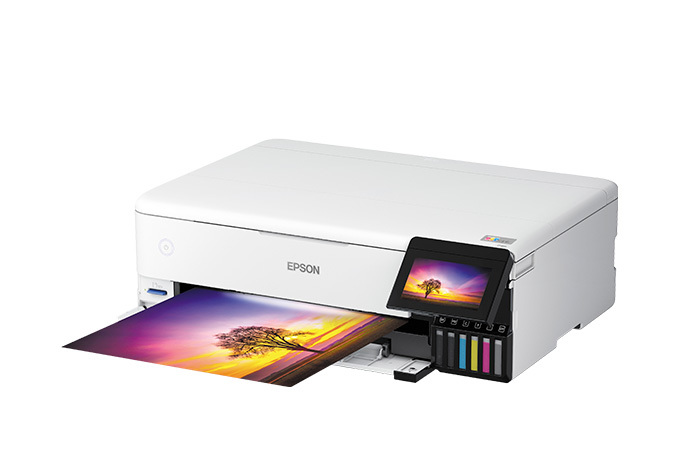
Key Features:
- Professional 6-Color System: Includes Gray and Photo Black for superior gradients and photographic quality.
- Large Format Capacity: Prints up to 13″ x 19″ for full-garment designs and posters.
- High-Resolution PrecisionCore Printhead: Ensures sharp detail at 4800 x 2400 dpi.
- Advanced Color Management: Fully compatible with custom ICC profiles.
- High-Capacity Ink System: 70ml bottles provide low cost per print.
- Versatile Connectivity: Wi-Fi, Ethernet, and USB for flexible workflow integration.
Compared to the ET-15000, which is better for sublimation? While both are excellent, the ET-8550 offers better color accuracy and detail for most sublimation applications, though the ET-15000 has faster print speeds for high-volume production.
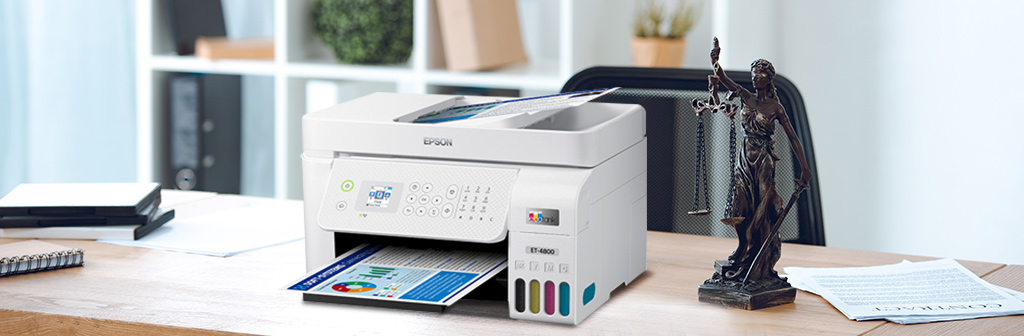
2. Best for Beginners: Epson EcoTank ET-2850/ET-2800 Series
When asking about the best sublimation printer for beginners, the Epson EcoTank ET-2850 and its predecessors consistently top the list. Their affordability and straightforward operation make them perfect entry points.
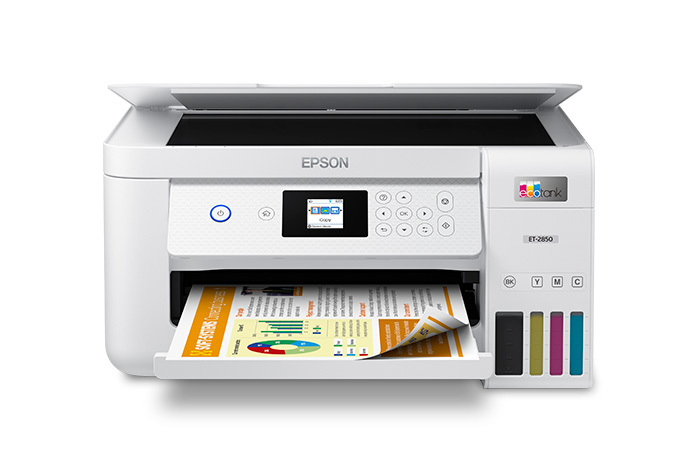
Key Features:
- Affordable Entry Point: Lowest initial cost among recommended models, ideal for hobbyists testing sublimation.
- Simple Operation: User-friendly interface and straightforward conversion process with extensive online tutorials.
- Compact Design: Space-efficient for home studios or small workshops.
- Cost Efficiency: EcoTank system minimizes ink expenses for frequent practice prints.
- Adequate Print Quality: Reliable 4-color Claria ink system produces vibrant results on common substrates like mugs and apparel.
- Wide Compatibility: Works with most standard sublimation papers and entry-level heat presses.
What is the difference between EcoTank 2850 and EcoTank 3850 sublimation? The EcoTank ET-3850 offers slightly faster printing and additional features like an automatic document feeder, but for most beginners, the 2850 provides everything needed at a lower price point. The blog Best Sublimation Printers for Beginners in 2025 might provide you with more information.
As for Epson 2800 vs 2850, the differences are minimal—the 2850 generally offers slightly improved connectivity options. Regarding Epson EcoTank 2800 vs 2803 for sublimation, the variations are typically regional or bundled accessory differences, with identical printing capabilities.
3. Best Hybrid Machine: Epson EcoTank ET-15000
For those wanting both sublimation and regular printing capabilities, the Epson EcoTank ET-15000 serves as a versatile best printer for sublimation and heat transfer hybrid solution. Its large ink tanks and fast printing make it suitable for mixed-use environments.
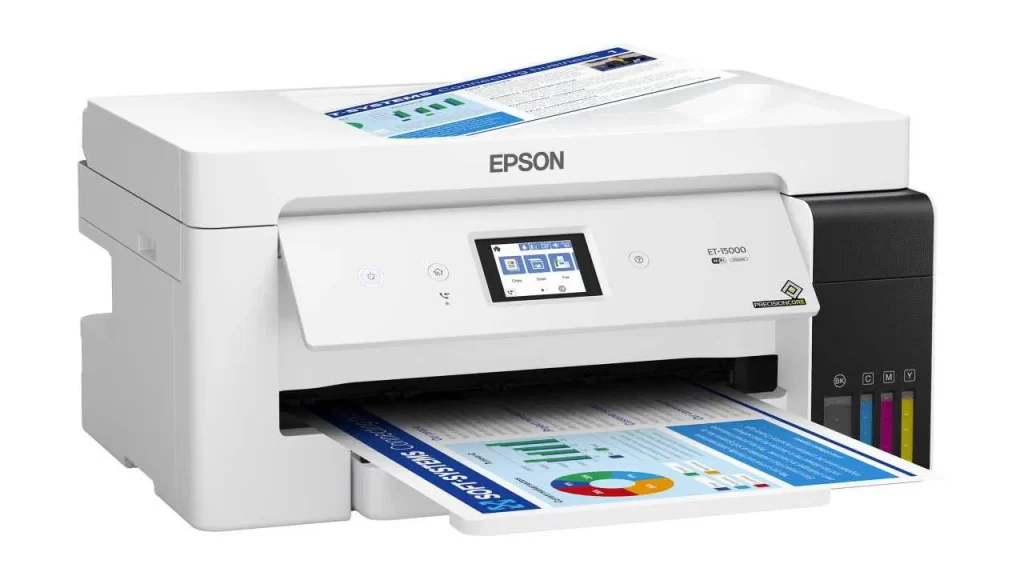
Key Features:
- Dual-Function Design: Engineered for both high-volume document printing and quality sublimation output.
- Exceptional Speed: Fastest print speeds in the EcoTank line, optimizing production efficiency.
- Large Capacity: Extra-large ink tanks reduce refill frequency during extended print sessions.
- Professional Workflow: Auto Document Feeder (ADF) supports quick scanning and copying of physical designs.
- Wide Media Support: Handles thicker specialty papers and sheets up to 13″ x 19″ for diverse projects.
- Advanced Connectivity: Robust wireless and Ethernet options for shared studio or office environments.
4. Special Mention: Epson SureColor F170
While not technically an EcoTank, no discussion of Epson sublimation printers is complete without mentioning the Epson SureColor F170 – a purpose-built epson f170 sublimation printer that comes pre-configured with sublimation ink and profiles. It’s essentially the “plug-and-play” version of a converted EcoTank, offering exceptional ease of use but at a higher initial cost.
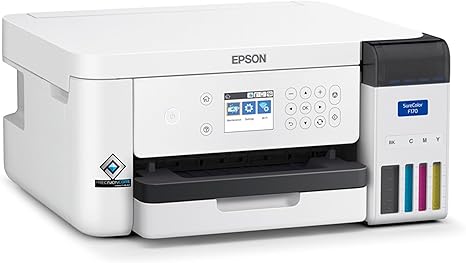
Key Features:
- Factory-Optimized: Pre-configured with sublimation ink and profiles, ensuring plug-and-play simplicity.
- Guaranteed Performance: Manufacturer-supported color accuracy and nozzle health for consistent results.
- Dedicated Design: Built-in maintenance modes and sublimation-specific firmware enhance reliability.
- Compact Professional Unit: All-in-one solution includes integrated ink system, eliminating conversion risks.
- Warranty Protection: Full Epson warranty covers sublimation use—unlike converted EcoTank models.
- Heat Press Ready: Includes basic design software and project templates to accelerate workflow initiation.
Key Factors to Consider When Choosing Your Sublimation Printer
- Print Size Requirements: For standard projects like mugs and t-shirts, consider the ET-2850/2800 series, which supports up to 8.5″ x 14″. For larger projects such as posters or full-garment prints, the ET-8550 is ideal, offering up to 13″ x 19″ printing capabilities.
- Color Performance: A 6-color printer (like the ET-8550) delivers superior vibrancy and smoother gradients, especially important for photographic designs on t-shirts. 4-color models are more budget-friendly but may struggle with complex color transitions and realistic skin tones.
- Conversion vs. Pre-Configured Models: A converted EcoTank (e.g., ET-2850) offers lower upfront cost but requires technical setup. A pre-configured model (e.g., Epson SureColor F170) is ready-to-use but comes at a higher initial price.
- Production Volume & Speed: For high-volume printing, the ET-15000 provides the fastest speeds. For hobbyists or moderate use, the ET-2800 series offers sufficient speed and reliability.
- Budget & Long-Term Costs: Factor in ongoing expenses such as sublimation ink, specialty paper, and maintenance supplies. EcoTank models significantly reduce ink costs over time compared to cartridge-based printers.
- Ease of Use & Learning Curve: Beginners may prefer pre-configured models or well-documented conversion kits with community support. Advanced users might prioritize customizable settings and larger format capabilities.
How to Convert an Epson Printer into a Sublimation Printer?
Prepare Your Printer: Verify your EcoTank model’s compatibility for conversion. Gather all essential supplies including sublimation ink, cleaning fluid, protective gloves, and lint-free cloths before starting.
Flush Factory Ink: Thoroughly remove original ink using cleaning solution. Follow detailed tutorials to prevent ink mixing and clogs, ensuring clear fluid flows from print nozzles.
Install Sublimation Ink: Carefully fill each tank with corresponding sublimation ink colors. Run printer’s priming process to properly charge the system with new ink.
Load ICC Profiles: Install color profiles from your ink/paper supplier. These ensure accurate color matching between screen display and final printed output.
Test Print & Adjust Settings: Print comprehensive test designs on scrap paper. Adjust printer settings for paper type and quality based on initial results.
Regular Maintenance: Print weekly to prevent clogs. Perform nozzle checks regularly and store supplies properly. Note that conversion voids manufacturer warranty.
FAQs about Epson EcoTank Printer for Sublimation
Which is better for sublimation, ET 8550 or ET-15000?
For pure photographic quality and smoother gradients, the ET-8550’s 6-color system (including gray ink) is superior. However, if you prioritize production speed and handle larger batch orders, the ET-15000’s faster printing and high-volume ink capacity make it the more efficient workhorse for business use.
What is the difference between Epson EcoTank 2800 and 2803 for sublimation?
The differences are primarily regional labeling and retail packaging—the 2803 often includes starter ink bottles or bundled software. Crucially, both models share identical internal hardware and print engines, meaning their sublimation conversion process, output quality, and performance will be exactly the same.
Can I use one printer for both sublimation and regular printing?
Technically possible but strongly discouraged. Flushing the system to switch inks is complex, wastes materials, and risks permanent clogging from dye residue. Ink contamination can ruin both sublimation transfers and document prints. For reliable results and printer longevity, dedicating one device solely to sublimation is the only recommended approach.
Wrap It Up
Remember, your choice should match your specific needs: consider what you print most often, available space, and your budget, taking into account not only the printer’s price but also the ongoing cost of ink and supplies. Dye-sublimation printing technology offers incredible creative possibilities, and with the right Epson EcoTank printer, you’ll soon be able to produce professional-quality transfer prints.
Explore More: Blogs You’ll Want to Read Next
