

When you see an HP DeskJet 2855e, a Canon PIXMA TS3722, and a Brother HL-L2390DW laser printer, you might wonder: besides the price, what are the differences between them? If you find yourself confused by terms like DeskJet, InkJet, and LaserJet, you're not alone. In this blog, we'll explain DeskJet vs InkJet vs LaserJet in detail and answer some frequently asked questions.
Table of Contents
I. Is DeskJet and InkJet the Same?
First, let's clarify this: All DeskJets are InkJets, but not all InkJets are DeskJets. Why? Let's look at the differences between the three.
-
InkJet (technology): This is the core printing technology that forms an image by jetting tiny droplets of liquid ink onto paper. Printers using this technology are called inkjet printers. Almost all major consumer printer brands produce printers using this technology. Common series include:
- HP: DeskJet, ENVY, OfficeJet, Smart-Tank
- Canon: PIXMA, MAXIFY, MegaTank, imagePROGRAF
- Epson: EcoTank, Expression, WorkForce, SureColor
- Brother: INKvestment, Smart
You can find this technology in affordable home all-in-one printers, high-capacity ink tank printers, and professional photo printers, among others. Examples include the HP OfficeJet Pro 8125e, Epson EcoTank ET-2850, and Canon imagePROGRAF PRO-300.
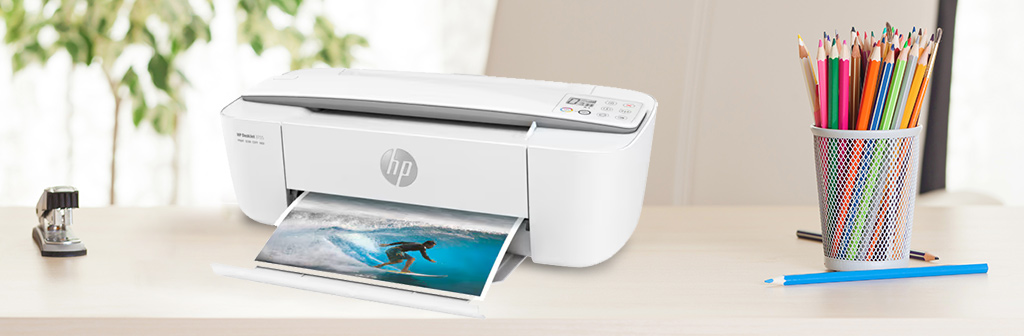
- DeskJet (A Specific Brand Line): This is a popular brand name for HP's inkjet printer series targeting consumers and small businesses. This series uses inkjet printing technology. When you see "HP DeskJet 2755e," you are seeing an inkjet printer manufactured by HP. See the blog post DeskJet vs InkJet Printer, What Is the Difference for more details.
- LaserJet (Another Brand Line): This is the brand name for HP's laser printers. This series uses laser printing technology. Unlike inkjet technology, laser technology uses toner powder and heat to fuse the image onto the paper. Besides the HP LaserJet series, other brands also offer laser printing series such as Brother HL/DCP/MFC, Canon imageCLASS, Xerox WorkCentre, and Samsung CLP.
Therefore, the real "DeskJet vs InkJet vs LaserJet" debate involves two aspects:
- Technology Selection: Inkjet vs Laser – Wet ink vs. dry toner.
- Brand/Model Selection: If you choose an inkjet printer, you need to compare HP DeskJet models with other inkjet printer brands such as Canon PIXMA or Epson EcoTank, considering factors such as cartridge design and bundled software.

II. Technological Showdown: InkJet Printing vs Laser Printing
The table below compares the differences between inkjet printing and laser printing. Note that DeskJet printers are entirely classified as "inkjet." You can also check out the blog Inkjet vs Laser Printers: Which Printer Should You Choose for more details.
Difference Between InkJet and Laser Printers in Tabular Form
| Feature | InkJet Technology | Laser Technology |
| Common Printer Series | Includes HP DeskJet, Canon PIXMA, Epson EcoTank, etc. | Includes HP LaserJet, Brother HL, Canon imageCLASS, etc. |
| How It Works | Sprays liquid ink through microscopic nozzles. The printhead moves side-to-side. | Uses a laser to draw an electrostatic image on a drum; toner (powder) adheres to it and is heat-fused to paper in one pass. |
| Best For | High-quality color photos, graphics | Text documents, speed, sharp black & white output |
| Upfront Cost | Generally lower. Excellent all-in-ones available under $100 (Print | Copy | Scan) | Generally higher, especially for color. Expect around $150 for a good monochrome model |
| Page Yield | Lower yield per cartridge. A standard ink cartridge may yield a few hundred pages. | Very high yield per toner cartridge. A standard toner cartridge can yield thousands of pages. |
| Print Speed | Slower for text documents (6-15 pages per minute is common). A 10-page document may take over a minute. | Much faster for text (20-40 ppm is standard). The same 10-page doc is done in ~20 seconds. First page out in under 10 seconds. |
| Photo Quality | Superior. Uses multiple ink colors (Cyan, Magenta, Yellow, Black, and sometimes photo grey/blue) for smooth gradients. | Adequate for charts/graphics. Not for photos. Colors can look flat, waxy, and detail is lost in shadows. |
| Size/Footprint | Typically more compact, all-in-one units are common. Fits easily on a desk shelf. | Often larger and heavier, especially models with extra paper trays. |
| Maintenance | Ink can dry out if unused for several weeks, leading to costly clogged printheads. Regular printing and maintenance are required. | More robust. Toner doesn't dry out. Can sit idle for months and print perfectly. Maintenance frequency is lower. |
III. Frequently Asked Questions about InkJet and Laser Printers
1. Which Has a Lower Cost Per Page: Laser Printer or Inkjet?
The most economical choice depends entirely on your printing needs. A useful formula to remember is: Cost per page = Total cartridge cost ÷ Total pages printed.
For primarily black & white documents, a monochrome laser printer typically has a lower long-term cost per page. This is due to the high page yield of its single toner cartridge.
For color printing, the analysis is more complex. Consider this comparison: an HP inkjet printer using HP 962 ink cartridges yields a cost of about 4¢ per page for both black and color. A comparable HP color laser using HP 116A toner cartridges costs about 7¢ per page for black and 11¢ for color. In this case, the inkjet printer offers a clear cost advantage for color printing.
Furthermore, for high color print volumes, ink tank printers such as the Epson EcoTank or Canon MegaTank usually provide the lowest cost per page available. See the blog post "Ink Tank vs Cartridge: Which Printer System Saves More Money" for more information.
2. Inkjet vs Laser Printer for Photos: Which is Truly Better?
For professional-quality photos, an inkjet printer is the only choice. Inkjet printers spray liquid ink, which is absorbed by the paper's coating, resulting in vibrant, natural colors, smooth transitions, and rich detail.
Laser printers, even high-end color models, cannot replicate this effect. They fuse dry toner powder onto the paper surface. This can cause printed photos to appear slightly glossy or waxy, with less accurate color saturation, and loss of detail, such as in hair or leaves.
3. What are the Disadvantages of Laser Printers?
Laser printers are not a perfect solution for everyone. Their main drawbacks include:
- Higher Initial Investment: The entry-level price, especially for color models, is a significant barrier.
- Unsuitability for Photos: Simple image printing, but they cannot print photos with true photo quality.
- Larger Physical Footprint: They typically require more desktop or bookshelf space.
- Emissions Considerations: While laser printers are safe and home-use certified, they still emit trace amounts of ultrafine particulate matter (UFP) during printing. Good ventilation is recommended. This may be insignificant for most people, but it's particularly important for very small, enclosed rooms.

IV. Recommendations for Best Laser Printers and Inkjet Printers
We've carefully selected five categories of reliable and popular printers (some of them), along with their latest prices on Amazon. Your freedom of choice is our priority. Therefore, you won't find modern HP models with an "e" suffix here, as these models typically require HP+ service registration. This program may lock the printer to use only genuine HP inks via an internet connection, limiting your access to more affordable compatible cartridges.
Category 1: Entry-Level & Value Home Inkjet Printers
Perfect for: Students, very light home use, basic printing of documents and occasional color pages.
These are your most affordable all-in-one starters, handling printing, scanning, and copying in a compact design.
- Canon PIXMA TS6420a All-in-One ($74.95): Compact and affordable, this entry-level printer supports convenient mobile printing.
- HP DeskJet 2622 All-in-One ($125.00): A reliable base model in the HP DeskJet series, ideal for simple printing tasks.
Category 2: Enhanced Home & Home Office Inkjet Printers
Perfect for: Busy families, remote workers, and creatives who need better speed, paper handling, or photo quality.
These products offers faster print speeds, enhanced connectivity, and features for more demanding daily use.
- Canon PIXMA TR4720 All-in-One ($69.00): A best-selling, feature-rich all-in-one known for excellent photo quality and a user-friendly app.
- HP DeskJet Plus 4155 All-in-One ($109.99): Offers wireless printing, scanning, and copying with a sleek design, balancing price and performance.
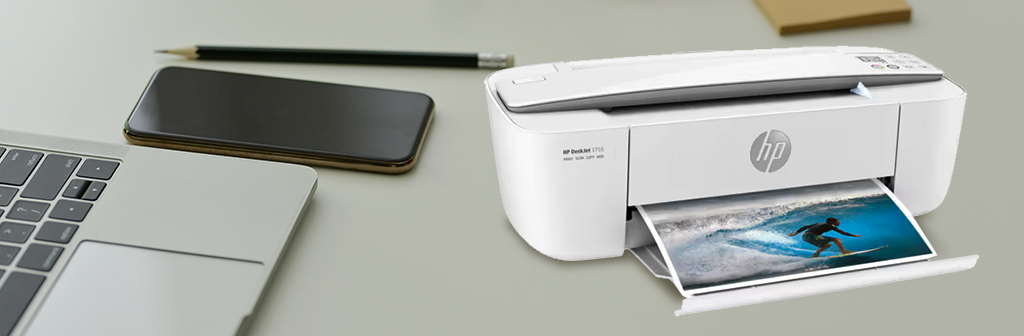
- HP DeskJet 3755 All-in-One ($189.49): A step-up model often bundled with extra features or trial ink for greater out-of-the-box value.
- HP OfficeJet 250 All-in-One ($489.89): A high-performance inkjet built for small business or heavy home office use, with fast print speeds and automatic document feeding.
Category 3: Home & Small Office Monochrome Laser Printers
Perfect for: Anyone who primarily prints text and values speed, low cost-per-page, and ultimate reliability.
Brother dominates this category and is the undisputed champion in text document processing. The printers are fast, have low operating costs, and won't clog even if they are not used for extended periods.
- Brother HL-L2405W ($134.98): A no-fuss, wireless monochrome laser printer focused on efficient, low-cost text printing.
- Brother HL-L2460DW ($179.98): Adds automatic two-sided (duplex) printing to the mix, saving paper and effort.
- Brother DCP-L2640DW (All-in-One) ($209.98): A monochrome laser all-in-one with duplex printing, perfect for a tidy home office.
- HP LaserJet MFP M140w (All-in-One) ($209.00): A compact HP laser all-in-one, offering reliable printing, scanning, and copying for the home.
Category 4: Small Office Color Laser & Ink Tank Powerhouses
Perfect for: Growing businesses and productive home offices that need professional color output.
Includes Ink Tank Printers for ultra-low-cost, high-volume color, and Color Laser All-in-Ones for sharp business graphics and durability.
-
High-Volume Ink Tank Printer:
- Canon MegaTank G3270 All-in-One ($159.00): The ultimate money-saving option. The included ink bottles can print thousands of pages, offering the lowest cost per page for color printing on the market.
-
Color Laser Printer:
- Brother MFC-L2820DW ($264.91): A monochrome laser all-in-one workhorse with duplex printing for text-focused offices.
- Brother HL-L3220CDW ($284.99): A compact, personal color laser printer ideal for producing vibrant charts, flyers, and marketing materials.
- Brother HL-L3280CDW ($344.98): A step-up personal color laser with enhanced features for better connectivity and handling.
- Canon imageCLASS MF465dw (All-in-One) ($330.21): A fast, efficient monochrome laser all-in-one with advanced document handling features for a busy office.
Category 5: Advanced Business Color Laser Multifunction Printers
Perfect for: Demanding small to medium-sized offices that need fast, professional color printing, scanning, copying, and faxing.
These are robust, network-ready workhorses built for shared use and higher monthly volumes, featuring large paper trays, automatic duplexing, and advanced document handling.
- HP LaserJet Pro MFP 3101fdw (Monochrome) ($299.00): A fast, fully-featured monochrome all-in-one with automatic document feeding and duplexing.
- HP Color LaserJet Pro MFP 3301sdw ($419.00): A compact business-class color all-in-one designed for small teams needing professional color output.
- Brother MFC-L3720CDW ($459.98): A reliable and affordable color laser all-in-one that balances essential business features with value.
- Canon Color imageCLASS MF753Cdw ($549.00): A productive color laser all-in-one known for its excellent output quality and intuitive touchscreen.
- Brother MFC-L3780CDW ($569.98): A versatile color laser all-in-one with additional connectivity and paper handling for a growing workgroup.
- HP Color LaserJet Pro MFP 4301fdw ($639.00): A premium business all-in-one built for high-volume, high-productivity color printing with advanced security and management features.
V. LaserJet printer vs DeskJet vs InkJet: How Should I Choose?
In summary, as mentioned at the beginning, it consists of two steps: first, determine what you need to print, and then select the specific brand and model.
Step 1: Choose Your Core Technology – Inkjet or Laser?
Choose INKJET if:
- Your printing is color-centric: photos, school projects, crafts, graphics.
- Your monthly print volume is low to moderate.
- You prioritize excellent photo quality and lower upfront costs.
Choose LASERJET if:
- Your printing is text-centric: documents, reports, essays, forms.
- You need speed and high-volume capability.
- You prioritize the lowest possible cost per page for black and white printing.
Step 2: Choose Your Brand & Model – DeskJet or Another Inkjet?
A. If You Chose LASER in Step 1:
Your next choice depends on features, color needs, and scale. We've provided some models in Category 3, 4, and 5 above for your reference.
B. If You Chose INKJET in Step 1:
This is where the real "DeskJet vs InkJet" comparison takes place. We've provided some models in Category 1, 2, and 4 for your reference.
These blogs might offer you more inspiration:
- Canon PIXMA vs HP DeskJet: What’s the Difference?
- Canon PIXMA vs Epson EcoTank, What’s the Difference?
- Brother INKvestment vs Epson EcoTank: Which Is Better?
- HP Envy vs OfficeJet: What’s the Difference?
- Canon vs Epson Photo Printers, Which One to Choose?
- Epson vs Brother: Which is the Popular Printer Brand?
- Dye Sublimation vs Inkjet Printer, What’s the Difference?
- Thermal Printer vs Inkjet Printer, Which Is Better?
- Thermal Printer vs Laser Printer: Which One Is Right for You?
VI. Wrap It Up
Choosing between DeskJet vs InkJet vs LaserJet printers can be summarized in a clear order: first, choose your printing technology, then decide on the brand and model. If you're unsure about the specific model you want, check out our recommendations. By the way, browsing Reddit or checking out the best-selling models on various shopping websites is also a good option.


